Every week we make Verbleif a little better. This week: tasks that are ready before you ask, three overviews that show how much time and material the work costs, and assigning several tasks in one go.
Tasks that are ready on their own
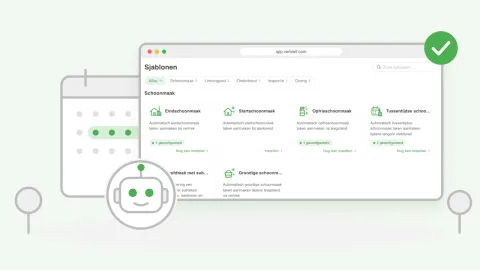
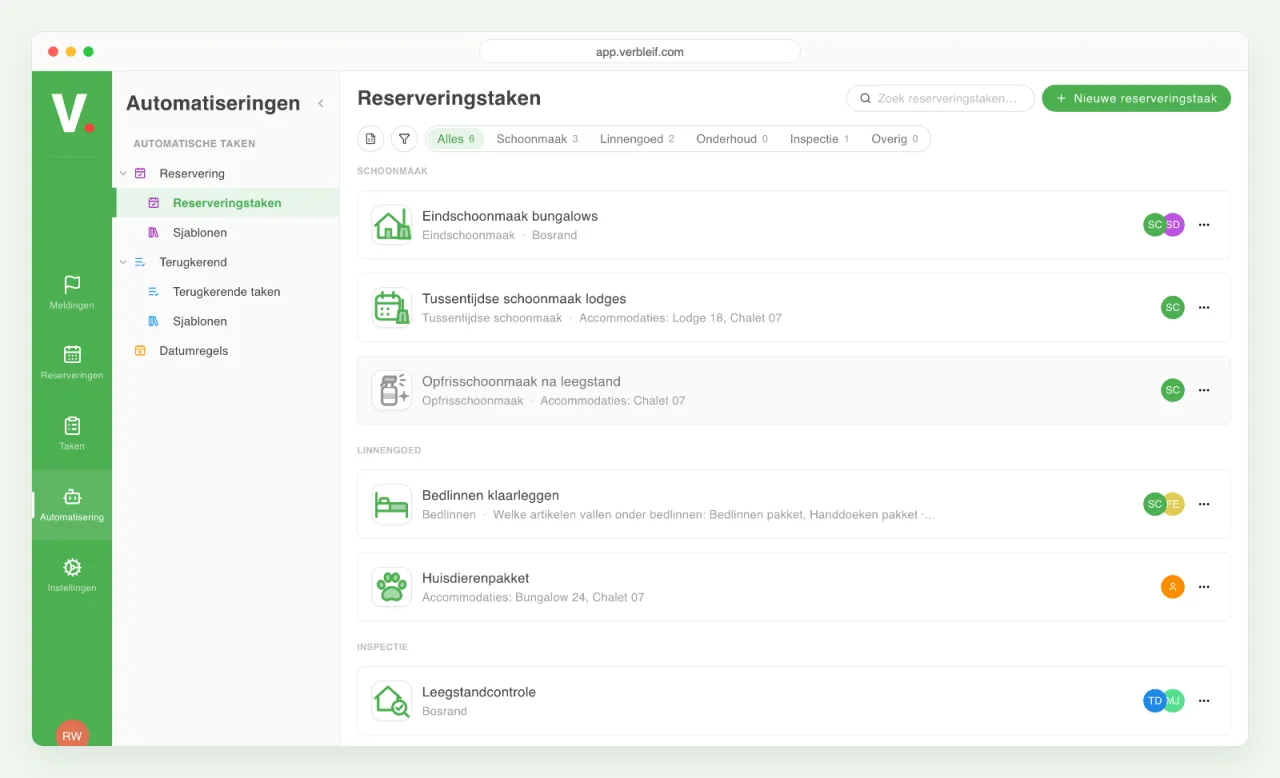
The same list every changeover day: cleaning, making the beds, a check by the maintenance team. You no longer have to create those tasks yourself. You set up once what needs to happen, and Verbleif then prepares the tasks for you: when guests arrive or leave, or at fixed moments, such as every week or every month.
You don't start from scratch. Pick a ready-made example, for instance for the final clean or for guests with a pet, and adjust it to your park. If a booking changes, the task changes with it. You split a big job into smaller tasks under one main task.
You find everything on the left in the menu under Automation, at Automatic tasks from templates. There you see what is on and what is off, and you can switch something on or off, or put it in Excel.
See what the work costs
On the left in the task overview you will find three new overviews.
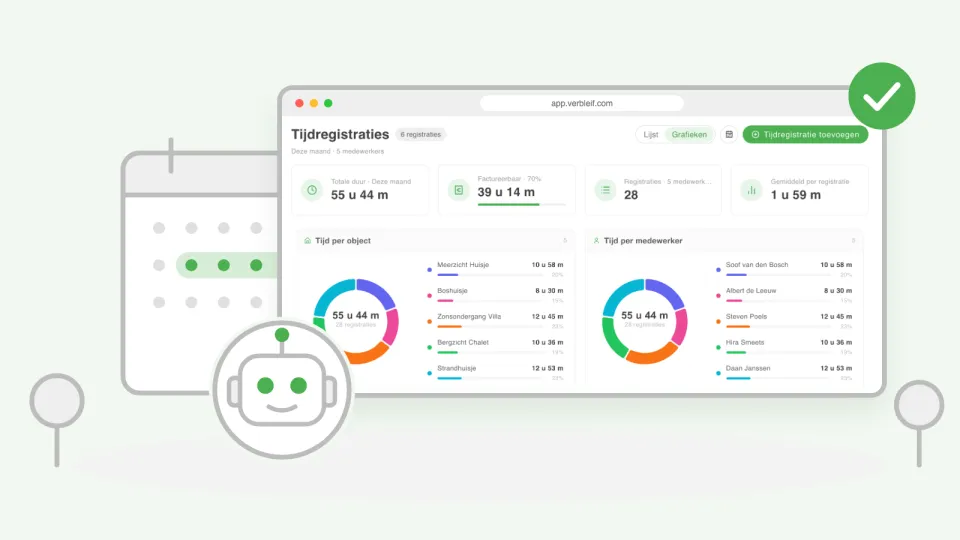
Time entries shows all the time that has been logged on tasks: how many hours in total, how many of those you can charge on, and how much time went into each accommodation and each team member. Pick a period, such as this week or this quarter.
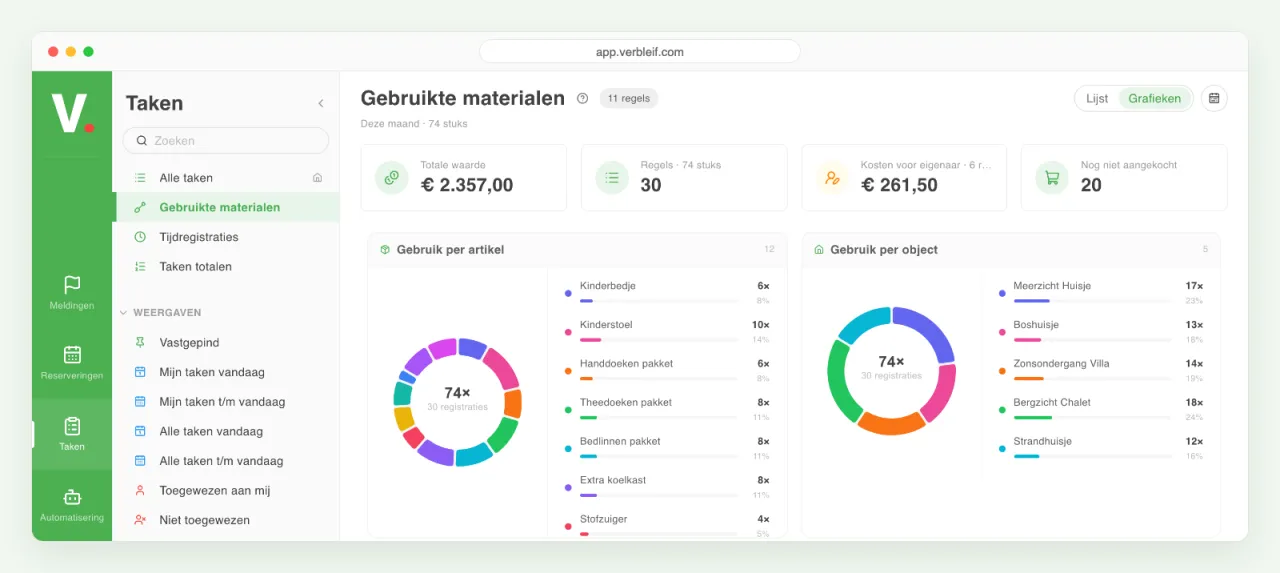
Used materials shows what was used on tasks, from towels to an extra fridge, and what it costs. You see which costs are for the owner and what still has to be bought.
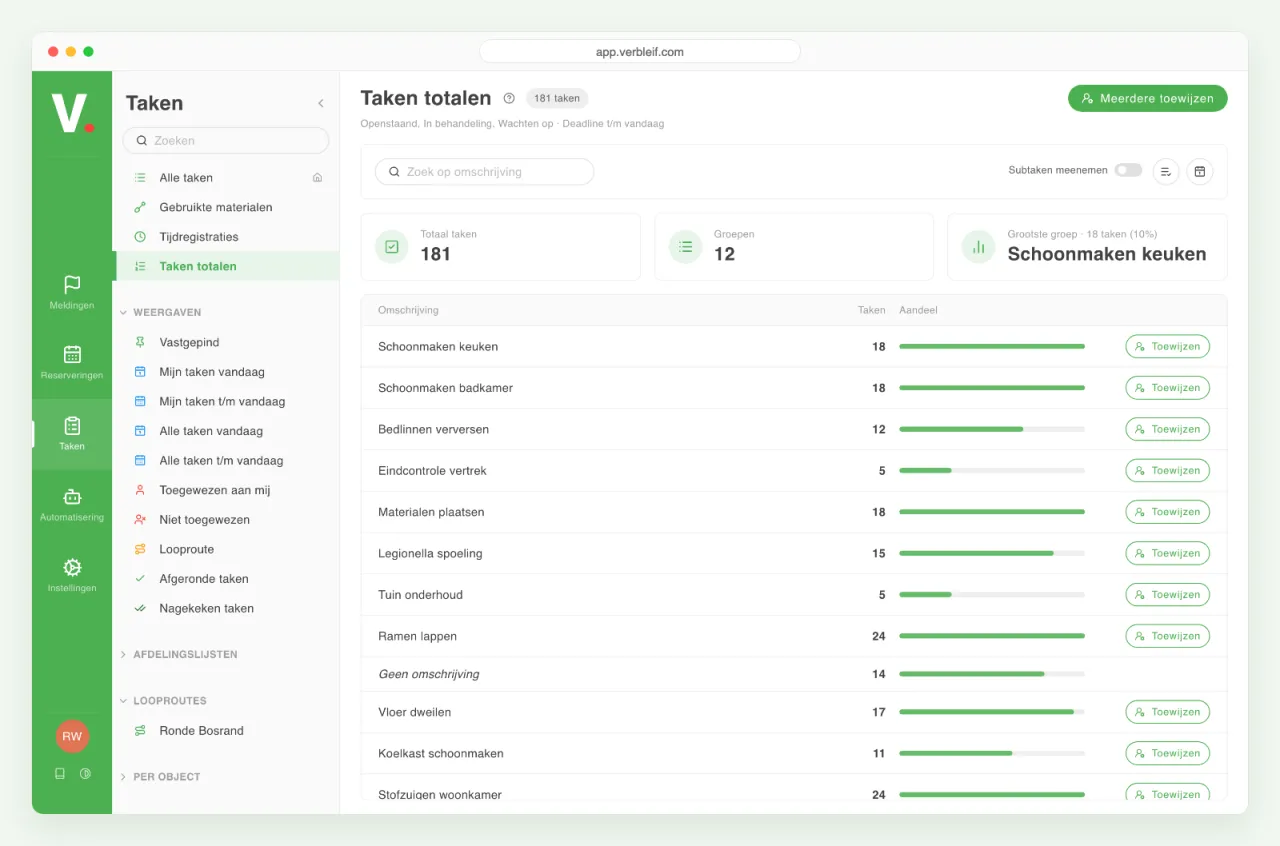
Task totals counts your open tasks per job, such as cleaning windows or cleaning the kitchen. That way you see where most of the work is, and you can assign a whole group to a colleague in one go.
You download time entries and used materials with one click as a file for Excel, for example for the invoices or for the owner of an accommodation.
Assign several tasks in one go
Select tasks in the task list and choose Assign several. First you see which tasks are included, then you pick who they go to, and that's it. Unassigning works the same way. Anyone who is allowed to assign tasks can do this.
Small improvements
- If you pick a task type for a task or report that has a fixed team or report list attached, Verbleif asks whether you want to use it.
- In My account, every app under Connected apps has its own page. You see when the app last did something, and you disconnect it with one click.
- Booking Experts: tasks go back to Booking Experts properly again, end up at the right accommodation, and the rules that choose a task type based on the description work as they should again.
- In a window where you have to confirm something, the buttons fit on the screen again, and in the side menu only the item you are on lights up.