Blog

1 min read

Quick filters in the task list

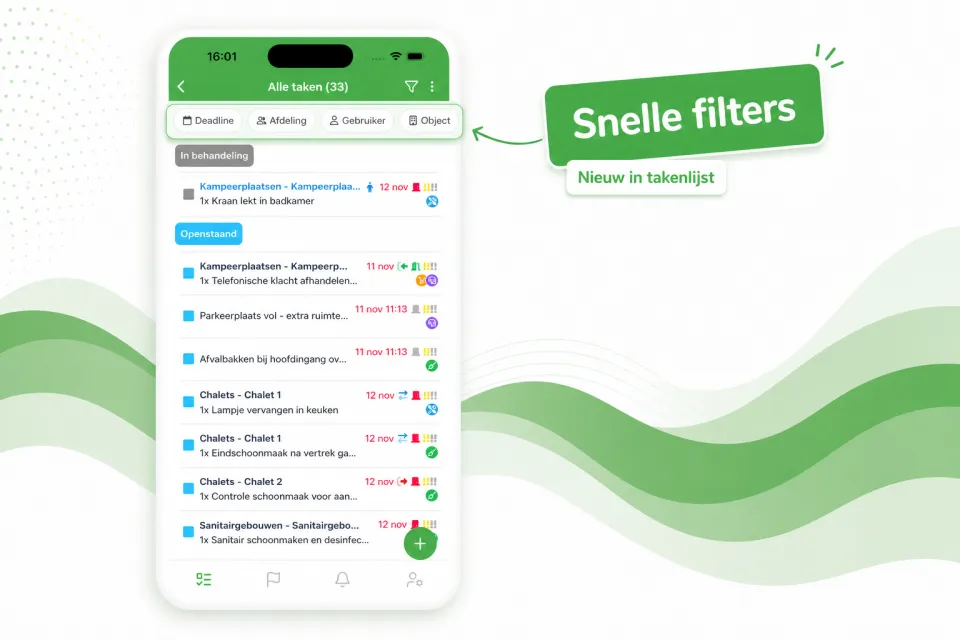
The task list now opens with a row of quick filters at the top — Deadline, Department, User, Object and more — so with a single tap you immediately see the right tasks, without first opening the full filter window.

The task list now opens with a row of quick filters at the top — Deadline, Department, User, Object and more — so with a single tap you immediately see the right tasks, without first opening the full filter window.

Prefer a calmer view? Using the three-dots menu at the top right of the task list, you can easily turn off the quick filters. Your preference will be remembered for next time.
Found this useful?

Share the article with your colleagues at the park.

More from the blog

All articles

See it on your own park

Book a demo and we walk you through Verbleif, tailored to your own situation.